If you are used to watching football, picking up the basics of hockey is relatively easy. Each team has 11 players on the pitch and the object of the game is to propel the ball into the opponent’s goal. But there the similarity with football ends.
Field of Play
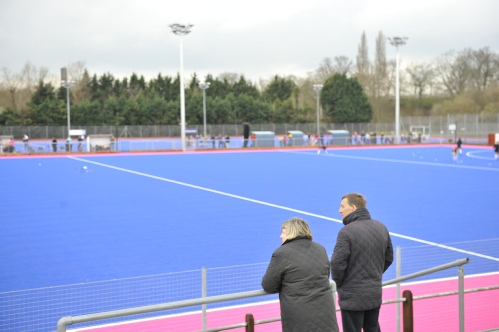
All international and England Hockey League matches are played on artificial turf these days and it is now unusual for hockey to be played in the UK on grass. The pitch is about the same size as a small football pitch. At each end of the pitch there is a goal, in front of which is a pitch marking in the shape of a ‘D’. The top of this ‘D’ is 14.3 metres from the goal-line. (You may hear this dimension occasionally referred to as ‘16 Yards’, which is it’s old imperial measure.) Another important marking is the line drawn across the pitch 22.9 metres from the back line. This is officially known as the ‘23 metre line’, but it is often referred to in the UK as the ‘25’ after the old imperial measure.
Equipment
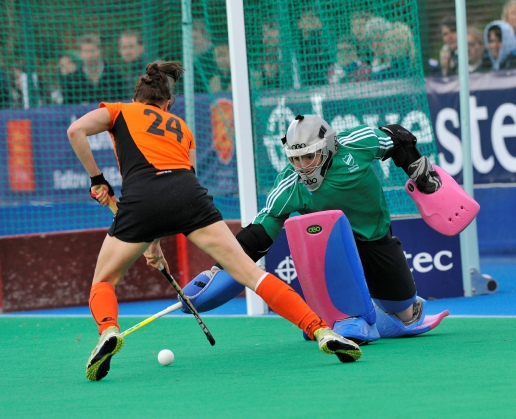
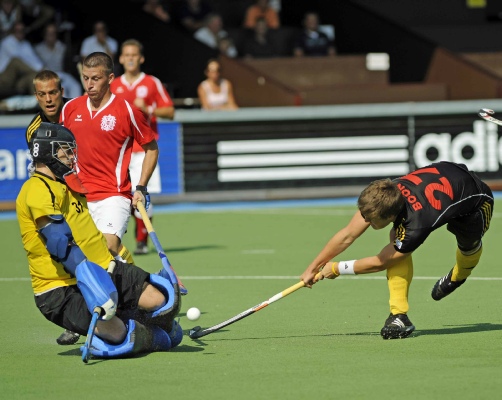
The ball can only be played with one side of the stick and so all hockey sticks have a flat surface on one side. There is no such thing as a left-handed stick in hockey and, despite this, many left-handed people play hockey successfully. Goalkeepers are allowed to wear protective equipment, the most visible of which are their helmets, gloves, leg-guards and kickers. Defenders at penalty corners are allowed to wear face protection but are required to remove these at the completion of the corner. The ball is similar in size and weight to a cricket ball, but modern hockey balls are made of plastic material, unlike the cork and leather used until a few years ago. Anyone who has ever been hit by a hockey ball will tell you that they are very hard!
Players
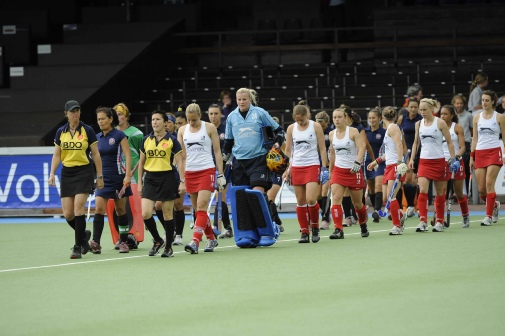
Although there can only be 11 players from each team on the pitch at any one time, a team can consist of up to 16 players. Rolling substitutions can be made and it is common at international level to see players being constantly substituted on and off throughout the match. Although most teams include a goalkeeper, it is not compulsory and they may have a ‘kicking back’, who must wear a different colour jersey to the rest of their team. Kicking backs enjoy the same privileges as goalkeepers but do not wear the same protective equipment. They are often used as a last ditch effort to score goals, as it gives their team an extra outfield player. It can be a risky tactic as it leaves their goal unprotected.
The People in Charge
Hockey is controlled by two officials called umpires. You will normally see them each patrolling a sideline. Although technically they are each allocated a half of the pitch, they can and do make decisions all over the pitch and will frequently come into their colleague’s half. The umpires are responsible for all decisions made on the pitch, although they no longer have to worry about off-side. It was abolished several years ago.
Scoring a Goal
For a goal to be scored, the entire ball must pass over the goal line and under the crossbar. Before a goal can be scored the ball must have been played by an attacker in their opponents’ ‘D’. Hockey is currently experimenting with a rule which allows a goal to be scored off a defender in their own ‘D’. At penalty corners (qv), if the shot at goal is hit (as opposed to flicked or pushed) it must enter the goal no higher than the backboards.
The Bully
Despite being closely associated with hockey, the bully disappeared from the game a long time ago. A game is now started with a ‘centre pass’, in which the ball can be played from the centre spot in any direction. The team starting the match is decided on the toss of a coin. The bully survives to re-
Conduct of Play
The idea of the game is that players should only use their stick to stop or propel the ball. Only the goalkeepers are allowed to use their feet or bodies. However, it is a principle that players should only be penalised if they gain an advantage from committing a foul and it is not uncommon to see a player’s foot make contact with a ball and for it to go unpenalised. Hitting a ball at a player, particularly if it is raised in a dangerous manner, will usually result in the striker being penalised for dangerous play.
Penalties
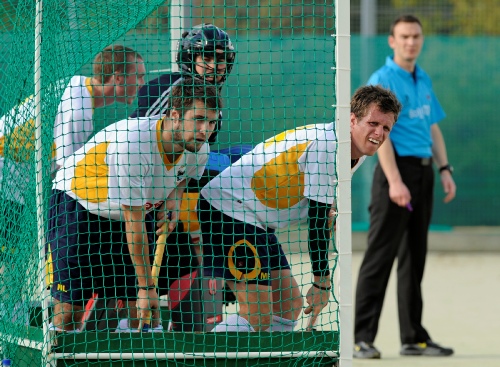
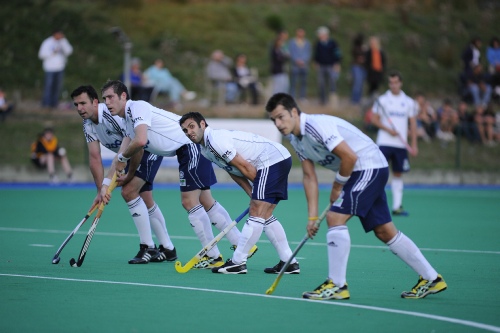
The umpires have a range of penalties they can use to enforce the rules. The simplest is a free hit. Since a recent rule change, the player taking the hit no longer has to pass the ball to another player. As an augmentation to the free hit, an umpire can order it to be moved up 10 yards for misconduct, such as time wasting. The next penalty on the list is the penalty corner. This can be awarded for a foul within the ‘D’ or a deliberate foul within the 23 metre area. It can also be awarded for deliberately hitting the ball over the back line. At a penalty corner only five defenders are allowed behind the goal line/back line. The remainder must retreat over the half-way line. A members of the attacking team puts the ball back into play off the back line but, until he does so, all other players must stand outside of the ‘D’. The ball must first leave the ‘D’ before a shot at goal can be taken. The ability to drag the ball into the ‘D’ and then flick it with power has led to the development of specialist players with highly prized skills, usually referred to as ‘drag-flickers’. The next most serious penalty is the penalty stroke. Briefly this is awarded for deliberate fouls in the ‘D’ or fouls that would stop a goal being scored. The most common of these is ball striking a defender’s foot in a way that stops it entering the goal.
Personal Penalties
Umpires carry green, yellow and red cards in their pockets. If the umpire shows a player a green card, it is just a warning*. A yellow card usually means a 5-10 minute suspension. Umpires can issue more than one yellow card to the same player during a match, although two similar acts of misconduct are likely to result in something more serious. The ‘more serious’ is a red card, which means that the player may take no further part in the match and there are usually further consequences for the player, namely a ban from hockey for a period determined by the nature of the offence.
Duration of Match
A hockey match lasts for two periods of 35 minutes*. Where a definite outcome is required, such as in a cup match, 15 minutes (2 x 7.5 minutes) golden goal is the common method used to settle the issue, followed by penalty strokes (starting with a series of five)*. International matches are usually controlled by timekeepers, who start and restart the clock on signals provided by the umpires. This way the spectators know how much time is left to play.
Rule Variations
*There are some common variations to these rules which often apply at international matches or senior level only:
GREEN CARD: In some competitions a green card results in an automatic two minute suspension.
DURATION OF MATCHES: The EuroHockey League has a time out period 17.5 minutes into each half. This is occasionally used in other competitions.
PENALTY DECIDERS: The penalty stroke is increasingly being replaced in matches which are drawn in ordinary time, but where a result is necessary (such as in knock-
BALL ABOVE THE SHOULDER: The rules prohibit the playing of the ball above the shoulder except to stop a shot at goal. The EuroHockey League is currently experimenting with a rule which allows this, provided there is no danger.
With the exception of the player putting the ball back into play,
members of the attacking team must remain outside of the ‘D’.
members of the attacking team must remain outside of the ‘D’.
A penalty corner permits only five defenders to stand behind the back line / goal
line. The remainder of the team must stand beyond the halfway line
line. The remainder of the team must stand beyond the halfway line
A full squad of players for a hockey team is 16 of which no more than 11 may be
on the pitch at any one time. Rolling substitutions are permitted and it is common
in top class hockey to see players being rotated on and off at regular intervals.
on the pitch at any one time. Rolling substitutions are permitted and it is common
in top class hockey to see players being rotated on and off at regular intervals.